跳转到主内容

无法删除 CVO 上的卷

Views:
84
Visibility:
Public
Votes:
0
Category:
netapp_console
Specialty:
ds_cvo
Last Updated:

适用于

  • Cloud Volumes ONTAP
  • BlueXP 备份和恢复

    问题

    • 无法使用 BlueXP GUI 删除卷。
    • 不显示错误消息。
    • 操作步骤
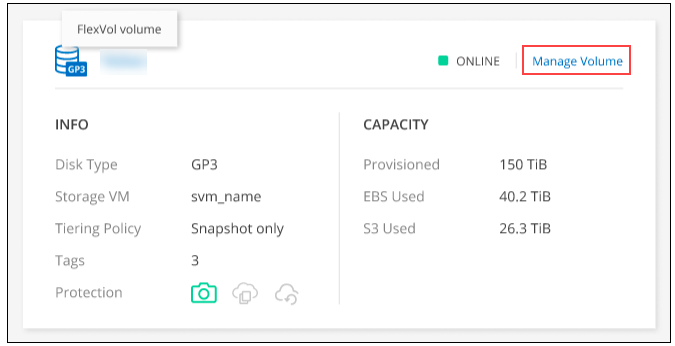
      1. 打开以下菜单。
        Unable to delete volume on CVO
      2. Manage volume 面板中的 Volume Actions 下,单击 Delete the volume
      3. Delete Volume 窗口下,输入要删除的卷的名称。
      4. 再次单击"删除"以确认。

    Sign in to view the entire content of this KB article.

    New to NetApp?

    Learn more about our award-winning Support

    NetApp provides no representations or warranties regarding the accuracy or reliability or serviceability of any information or recommendations provided in this publication or with respect to any results that may be obtained by the use of the information or observance of any recommendations provided herein. The information in this document is distributed AS IS and the use of this information or the implementation of any recommendations or techniques herein is a customer's responsibility and depends on the customer's ability to evaluate and integrate them into the customer's operational environment. This document and the information contained herein may be used solely in connection with the NetApp products discussed in this document.