代理配置设置屏幕不断显示,防止登录 NetApp Cloud Manager
适用于
- NetApp 控制台
- 代理服务器
问题
- 默认情况下,当您首次部署 NetApp Console 时,如果系统没有 Internet 访问权限,它会提示您输入代理服务器。
- 将代理服务器信息正确输入到以下区域,点击"Save"和"Close"按钮,但它不会重定向到可以输入 NetApp Cloud Central 帐户以继续 NetApp Console 的屏幕。
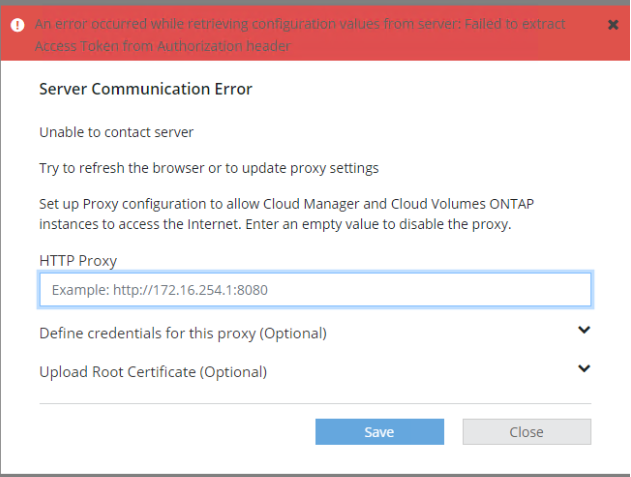
- 屏幕上的消息是
An error occurred while retrieving configuration values from server: Failed to extract Access Token from Authorization header
 Server Communication Error
 Unable to contact server
 Try to refresh the browser or to update proxy settings
 Set up Proxy configuration to allow Cloud Manager and Cloud Volumes ONTAP instances to access the Internet. Enter an empty value to disable the proxy.
#####################################################################################
Your system and network configurations are not adequate for Classification installation,
please fix the above issues and re-start the installation process
##########################- 刷新浏览器或重新启动 connector 实例,它反复询问代理服务器信息,并且从不前进。