跳转到主内容

如何更换丢失的产品退货标签?

Views:
116
Visibility:
Public
Votes:
0
Category:
not set
Specialty:
generalsupport
Last Updated:

适用于

  • RMA(退货授权)
  • UPS
  • DHL

问题解答

查看 零件退货和更换 以了解详细信息。

UPS

缺失的产品标签可以在 UPS 网上退货 获取,通常在 PREQ 交付后 24 小时或更晚。

  1. 输入 NetApp PREQ 参考编号和国家/地区(PREQ# 8XXXXX)

注意:输入 PREQ 编号后,如果网站显示 Invalid PREQ#/Country,请在 24 小时后重试。PREQ 编号可能需要长达 24 - 48 小时才能在网站上更新。

  1. 确认收集地址。
  2. 输入电子邮件地址和联系人姓名。AWB 现在将显示在屏幕上。
  3. 打印 AWB 并将其贴附到盒子上。

:欧洲不提供 UPS 送货地点。请通过 AWB 中提供的电话号码联系 UPS,并引用 NetApp 账号"167-389"。

DHL

联系 NetApp,CSR 团队将提供新标签。请准备好您的 NetApp RMA/PREQ #,即8000xxxxxx。

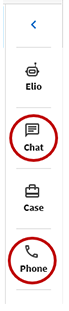
  • 要聊天或打电话,请登录,功能位于页面右侧。

DHL


NetApp provides no representations or warranties regarding the accuracy or reliability or serviceability of any information or recommendations provided in this publication or with respect to any results that may be obtained by the use of the information or observance of any recommendations provided herein. The information in this document is distributed AS IS and the use of this information or the implementation of any recommendations or techniques herein is a customer's responsibility and depends on the customer's ability to evaluate and integrate them into the customer's operational environment. This document and the information contained herein may be used solely in connection with the NetApp products discussed in this document.